What it does
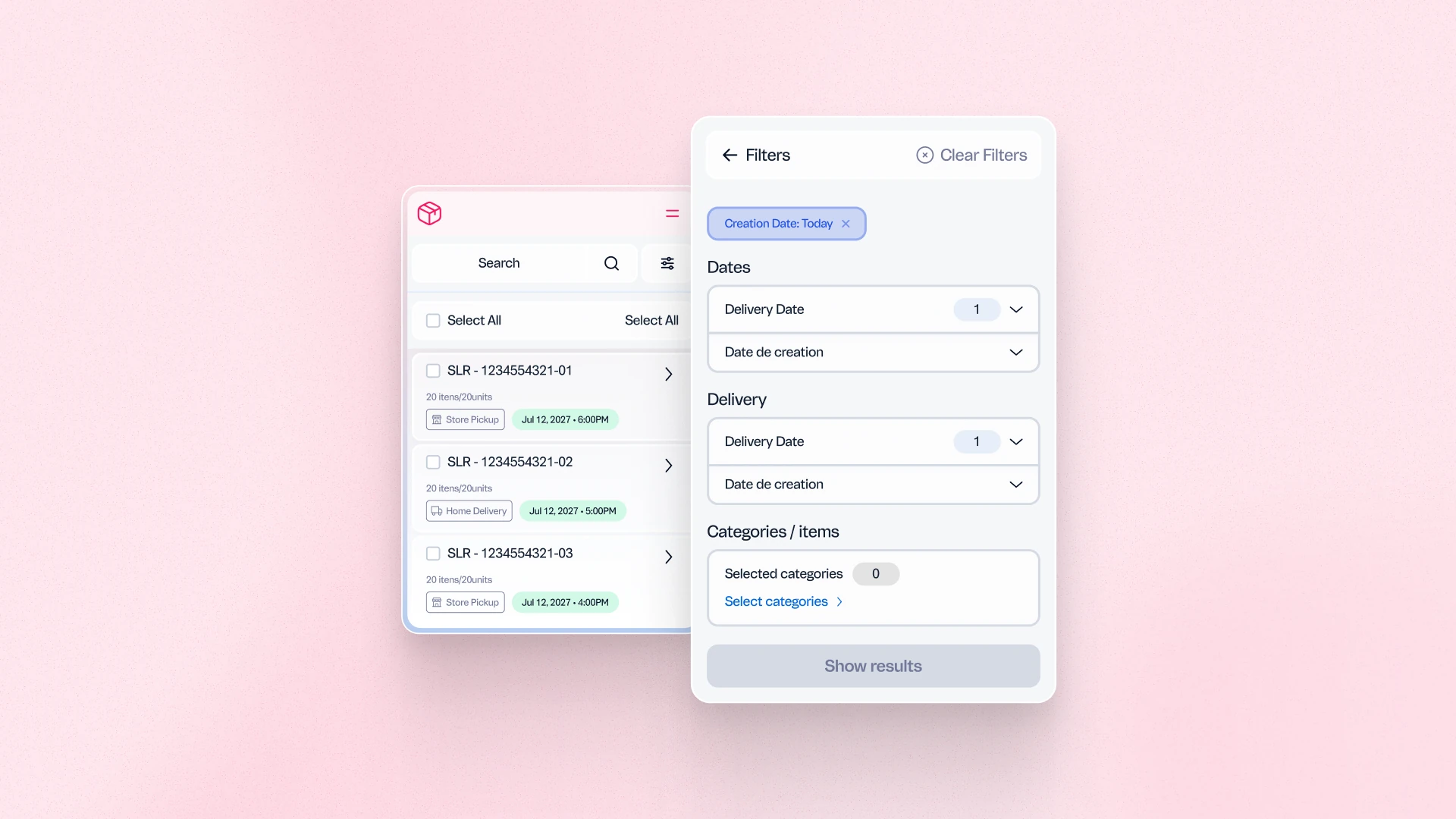
The updated order list interface in Pick and Pack introduces an expanded set of filters and sorting options, allowing warehouse teams to segment and prioritize orders based on criteria such as payment method, carrier, picker, delivery due date, order total, number of items, and product category. The result is a more efficient picking workflow with less manual searching and fewer operational delays.
Benefits
- Faster order prioritization: Warehouse teams can filter and sort orders by delivery deadline, carrier, or picker assignment, reducing time spent locating the right orders.
- Fewer fulfillment errors: Targeted filters reduce the risk of picking the wrong orders, particularly in high-volume or multi-category operations.
- Operational flexibility: Supports Canadian localization requirements (English and French) and diverse fulfillment setups across regions.
How to use
In the VTEX Admin, go to Shipping > Pick and Pack > Orders. Click the filters at the top of the orders list and select the criteria to apply. Sorting and filtering options are available immediately without additional configuration.