What it does
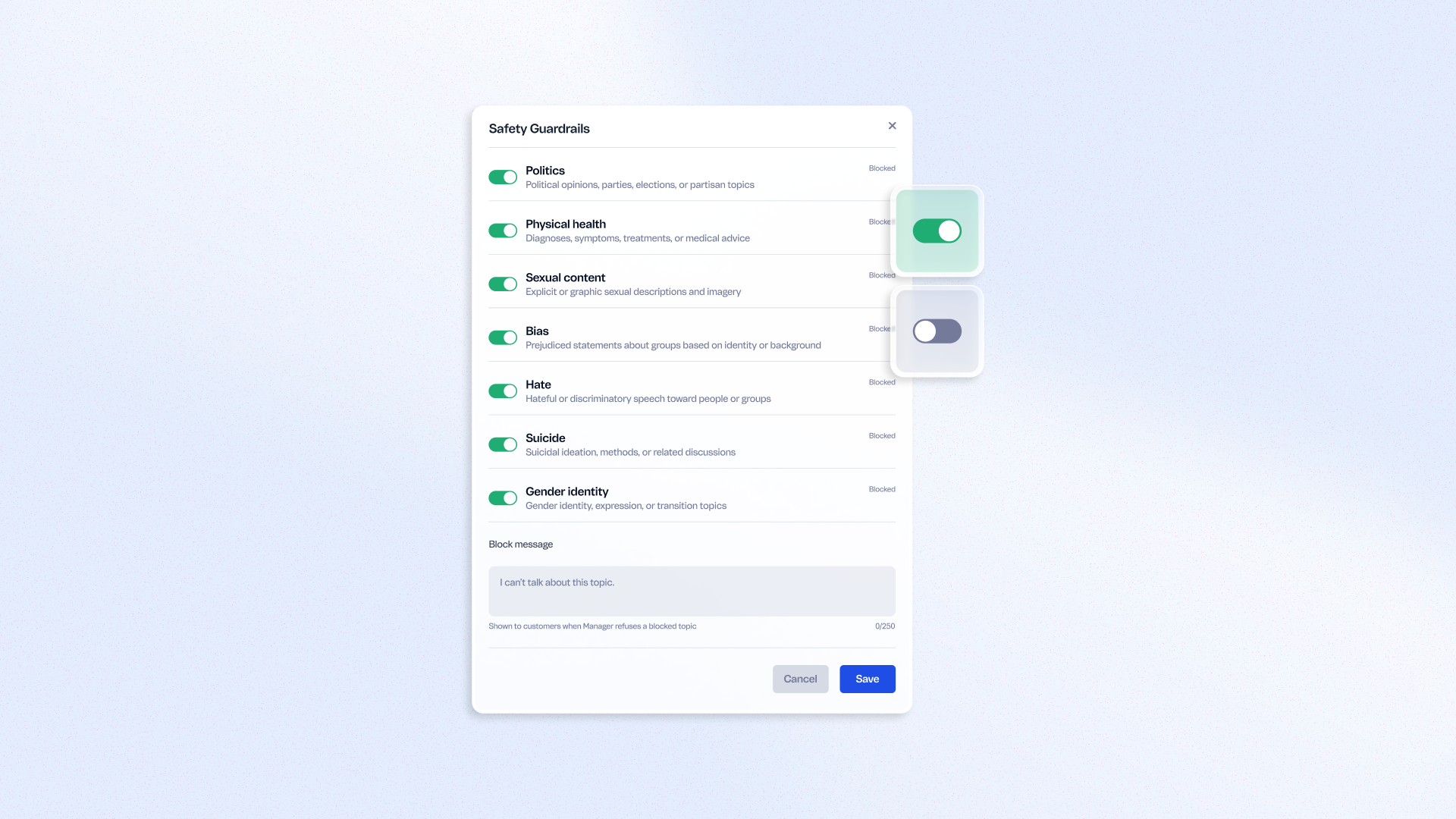
Open the Instructions area of your AI agent project and toggle blocking on or off for each of 11 predefined sensitive topics — from politics and religion to self-harm and sexual content. Set a single custom refusal message, up to 250 characters, shown whenever the agent declines a blocked topic, so the tone stays consistent with your brand. Manage safety behavior on your own, without opening a ticket with engineering.
Benefits
- Brand-aligned safety: Set a custom refusal message that matches your tone of voice
- Granular control: Toggle each of 11 sensitive topics independently per project
- Self-service setup: Configure guardrails without engineering support
- Adapt faster to context: Adjust blocked topics as your brand or audience needs change
How to use
In the VTEX CX Platform, open your project's Instructions and go to Safety guardrails. Toggle each of the 11 predefined topics on or off, and enter a custom refusal message (up to 250 characters) to display whenever the agent declines a blocked topic.