What it does
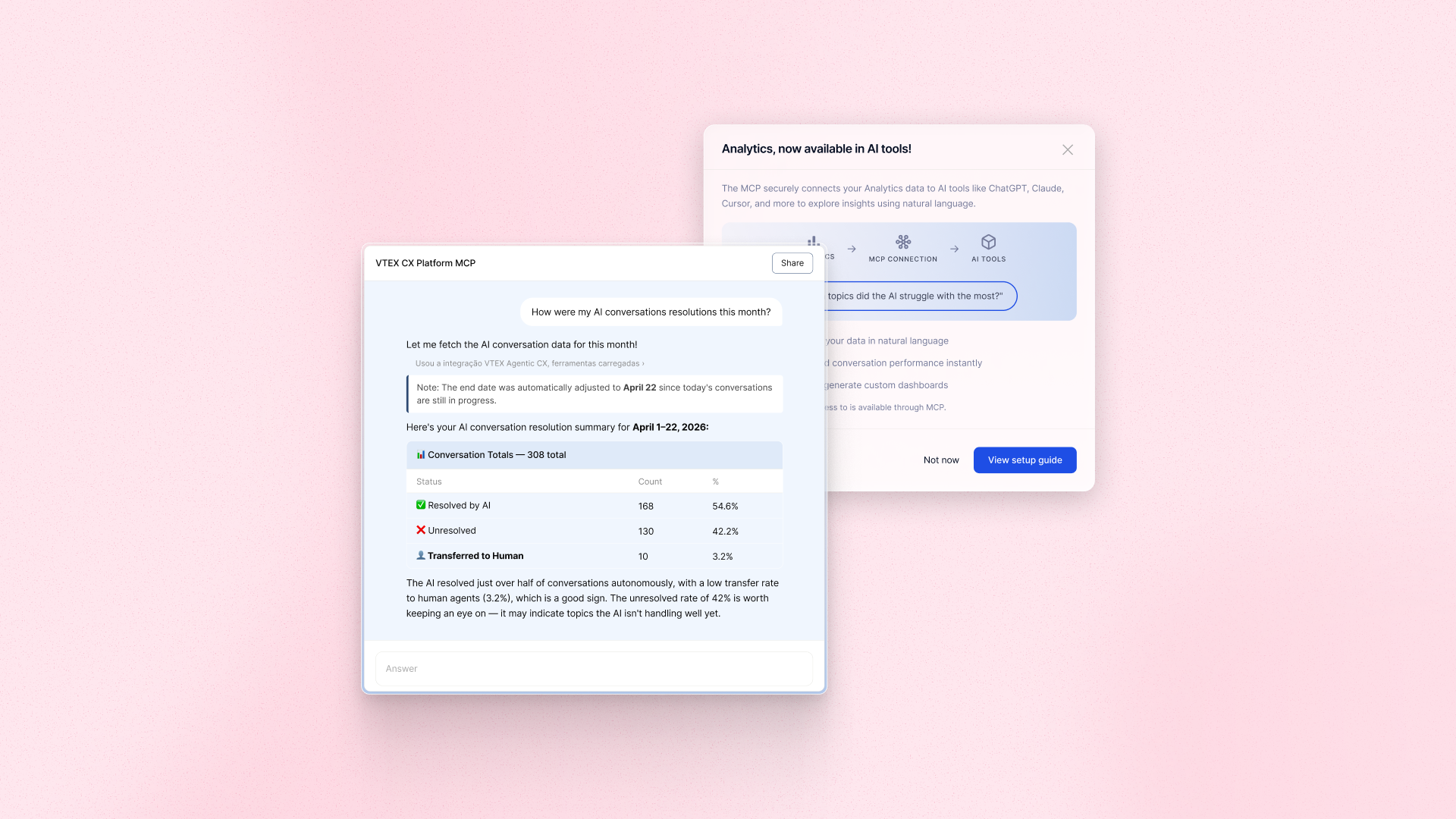
Connect Conversational Dashboard and Live Desk Dashboard data to an MCP-compatible AI tool such as ChatGPT, Claude, or Cursor. Ask questions in plain language, build custom dashboards, and generate reports without exporting data or waiting on a technical team. Set up the connection once through a guided in-product flow, then explore Analytics conversationally going forward.
Benefits
- Faster insights: Get answers from Analytics data in plain language without building custom reports
- Less manual work: Skip data exports and cut down on ad hoc reporting requests to CS and Support
- Flexible exploration: Build custom dashboards and cross-context analyses in the AI tool of your choice
- Secure by design: Access Analytics data through a governed, anonymized connection
How to use
Open Analytics in the VTEX Admin and follow the in-product prompt to connect your CX Platform to an MCP-compatible AI tool, such as ChatGPT, Claude, or Cursor. Setup is guided and one-time. Once connected, ask questions about your Conversational Dashboard and Live Desk Dashboard data directly in the AI tool.