What it does
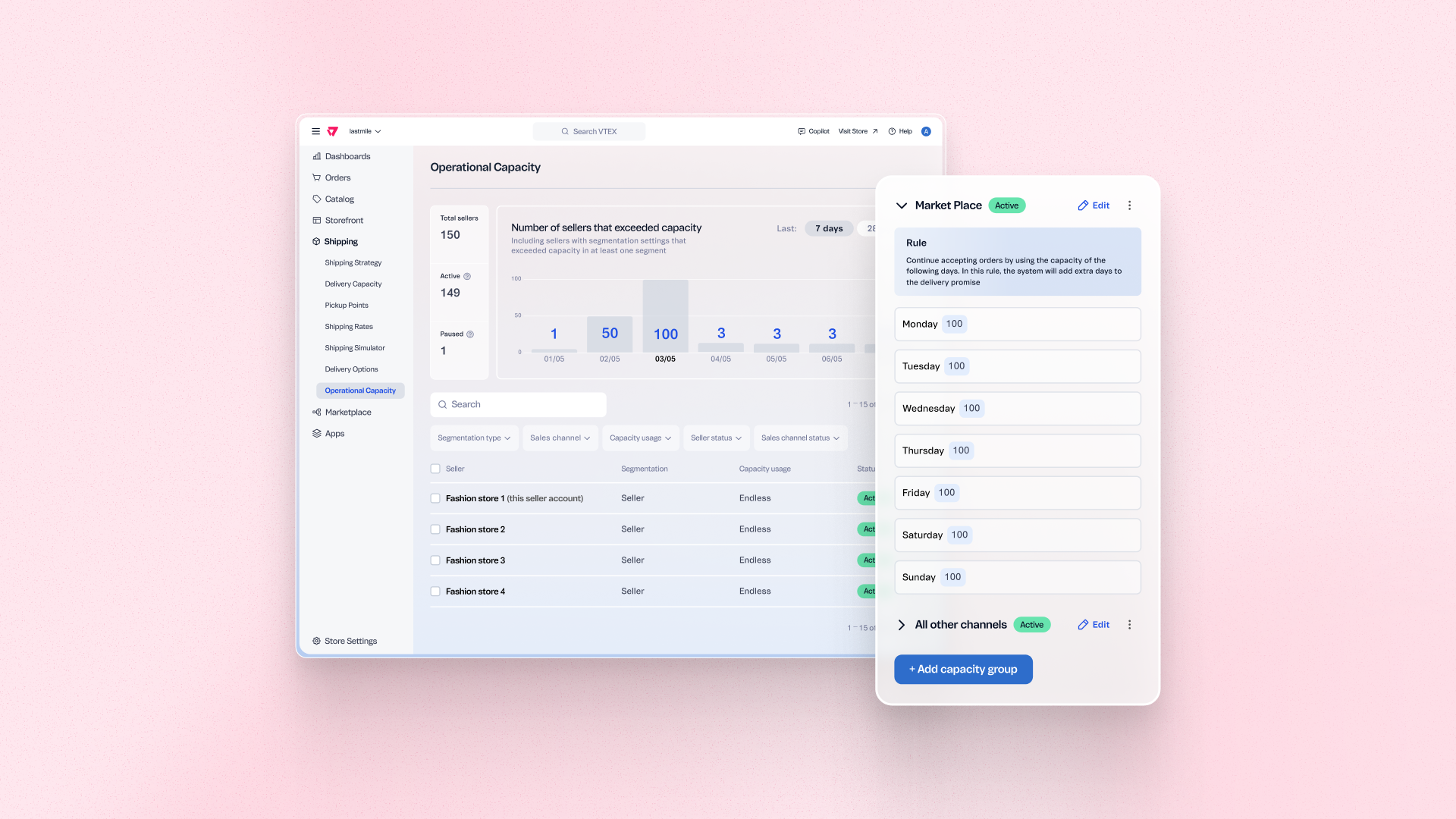
Operations and logistics managers can now configure a maximum number of orders each fulfillment location accepts per day, directly in the allocation engine. When a location reaches its limit, incoming orders are routed to other available points in the network rather than overloading a single store or distribution center. This keeps delivery promises realistic, prevents SLA breaches during peak periods, and gives merchants control over order distribution without manual intervention.
Benefits
- Accurate delivery promises: Orders are only allocated to locations that can realistically fulfill them on the day, reducing SLA breaches and delivery delays.
- Balanced network distribution: Order volume is spread across fulfillment locations based on configured capacity, preventing bottlenecks at specific stores or DCs during peak periods.
- Controlled omnichannel expansion: Merchants can integrate new fulfillment locations into the network with defined intake limits, avoiding overload from day one.
How to use
In VTEX Admin, go to Fulfillment > Operational Capacity. Configure a maximum daily order limit per fulfillment location or sales channel. Changes take effect in the allocation engine immediately. Refer to the Help Center tutorial for step-by-step configuration instructions.