What it does
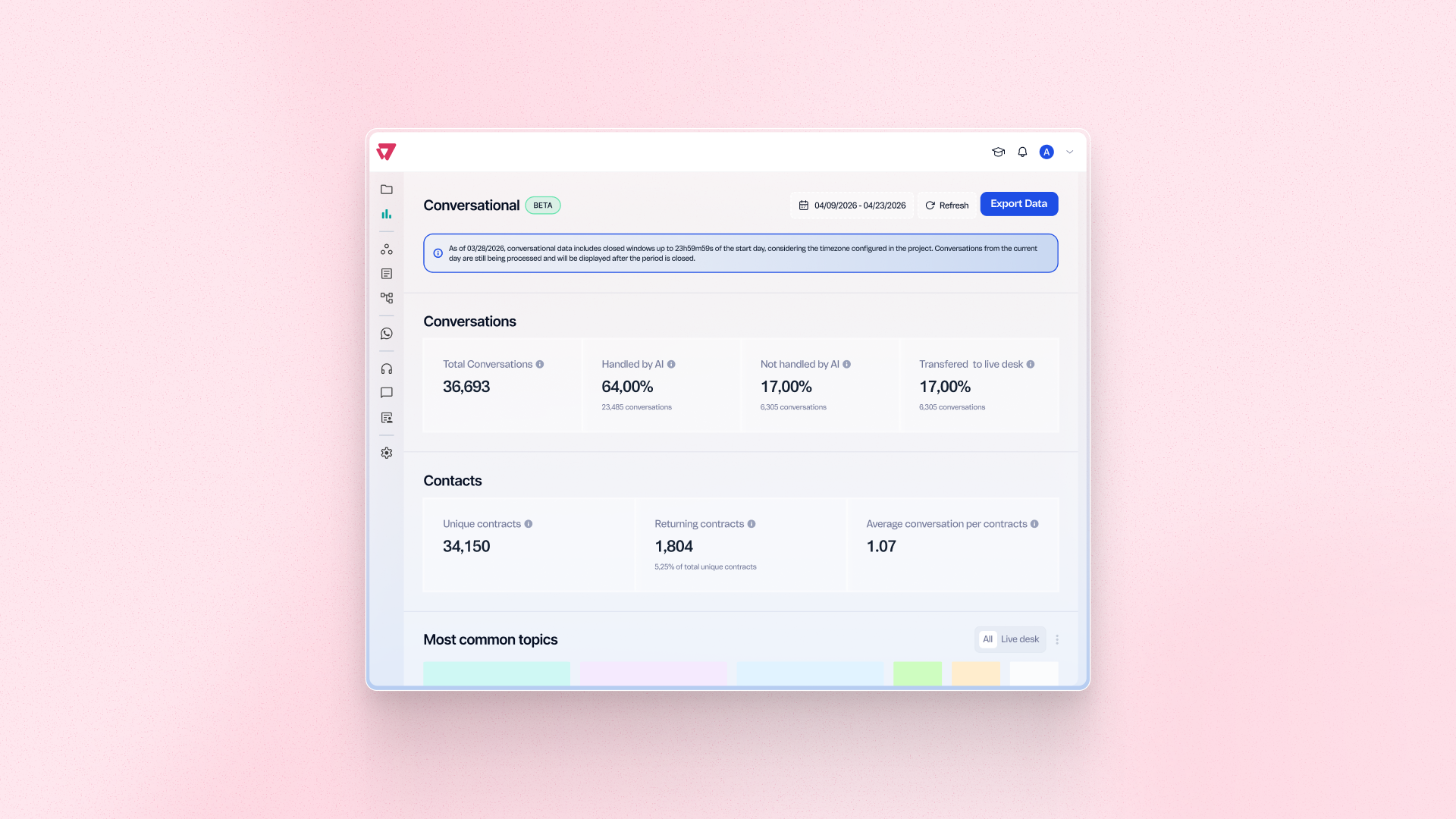
See how many distinct contacts engage with your conversational channels and how often they return, directly in the Conversational Dashboard. Measure retention and repeat engagement without exporting data or running manual analysis. Use these trends to spot where engagement is growing or dropping off.
Benefits
- Retention visibility: See Returning Contacts as a share of all Unique Contacts
- Less manual work: Skip external analysis to measure engagement and recurrence
- Ready to use: No setup needed for projects on Agent Builder 2.0
How to use
Go to Insights and open the Conversational Dashboard to view Unique Contacts, Returning Contacts, and Average Conversations per Contact for your selected period. The metrics are available automatically for projects on Agent Builder 2.0 — no extra configuration is needed.