What it does
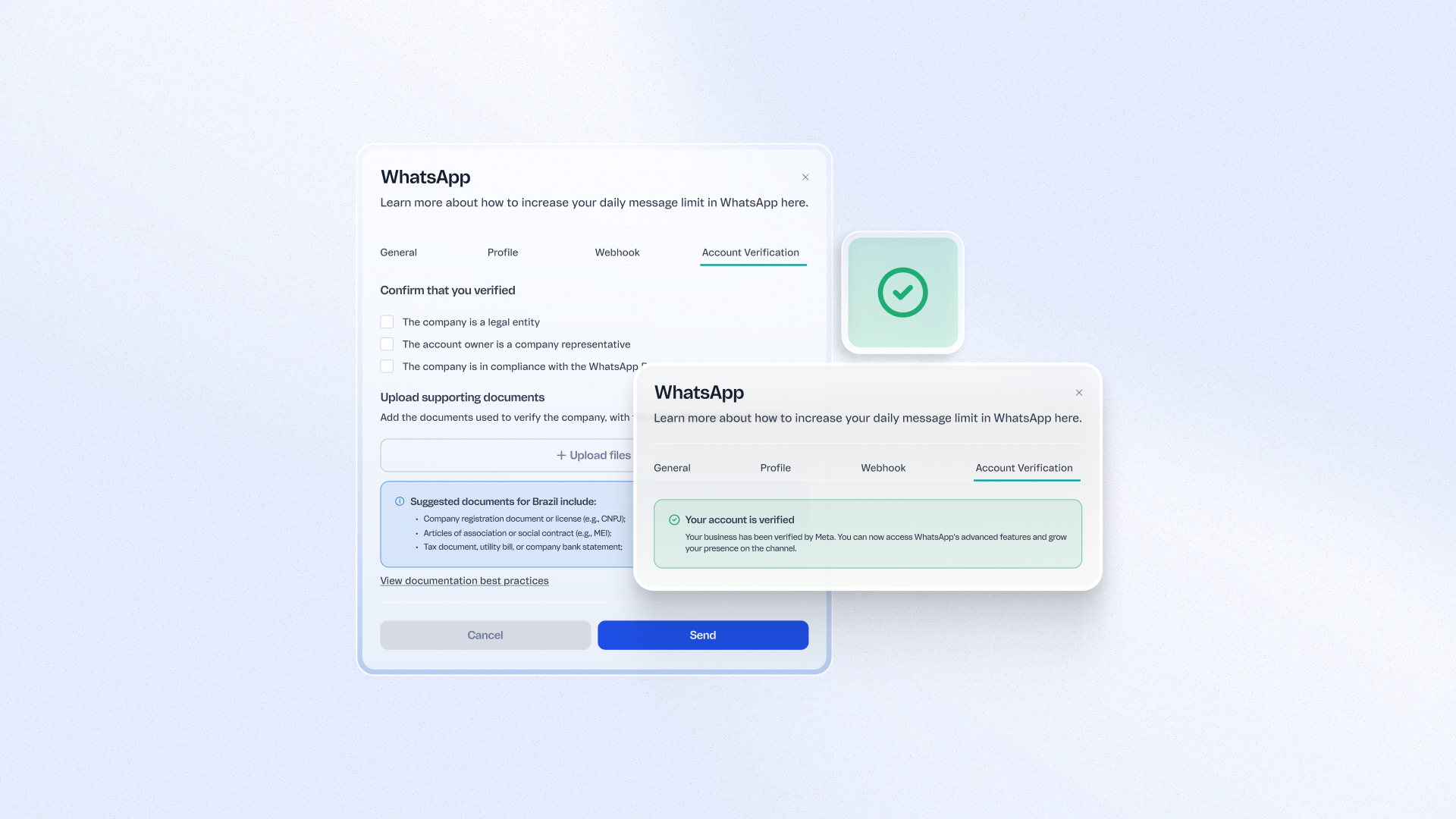
Complete your business verification with Meta directly from the VTEX CX Platform through a guided, self-service flow once you've sent 50 templates or completed 50 conversations. Get the result by email within minutes or a few hours, instead of navigating Meta's technical process with no set timeline. Unlock higher messaging limits and more flexible scheduling for high-value automations like abandoned cart recovery and order updates.
Benefits
- Higher messaging limits: Scale outbound WhatsApp communication once verified
- Guided process: Skip the guesswork with an eligibility-gated, self-service flow
- Fast results: Get verification outcomes by email within minutes to a few hours
- Built-in support: If your first attempt isn't approved, you'll get automatic guidance from the Support team
How to use
In the VTEX Admin, go to your WhatsApp Channel settings. Once you've sent 50 templates or completed 50 conversations, you'll see the option to start your business verification with Meta — follow the guided flow and check your email for the result.