What it does
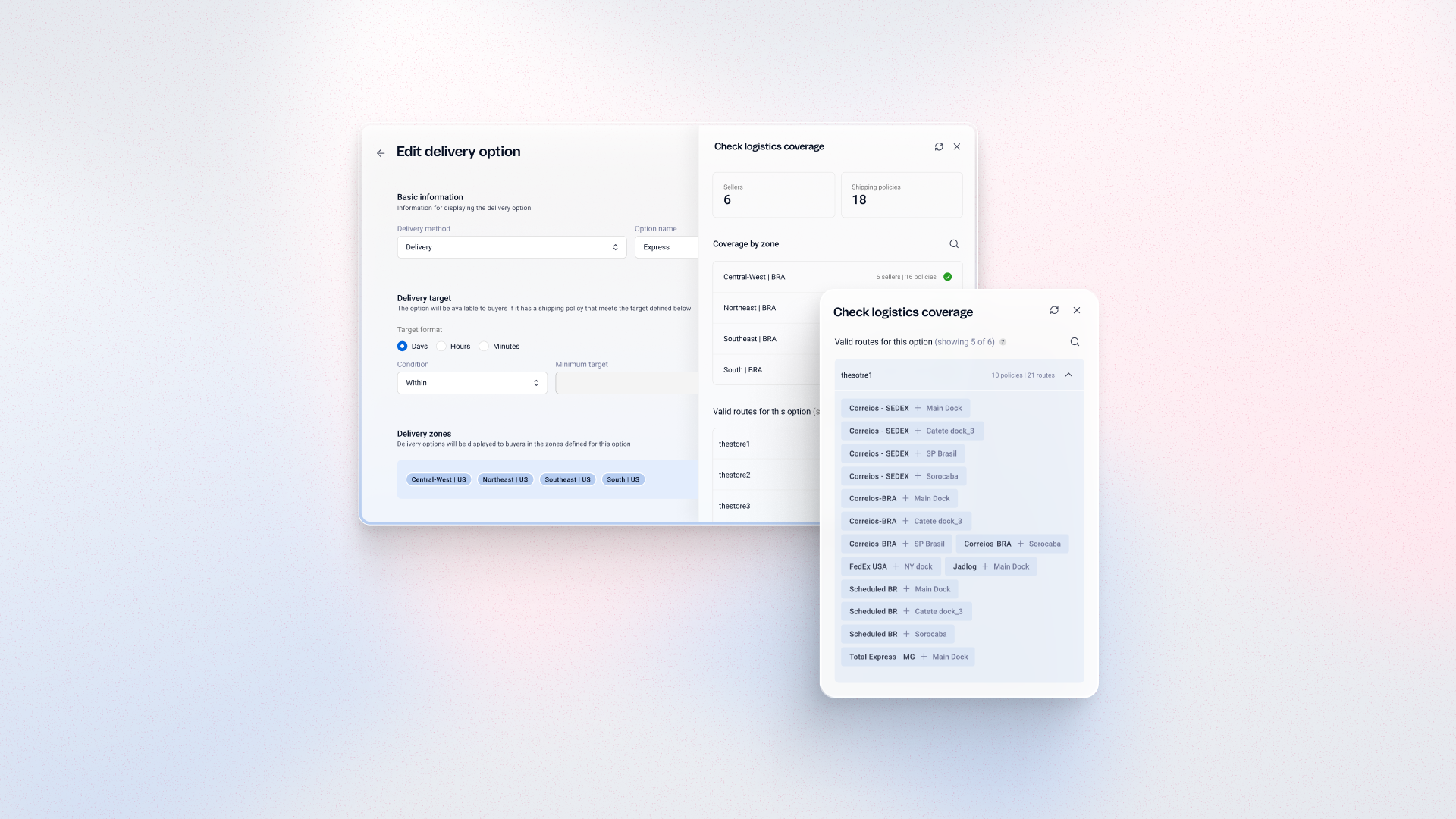
Review logistics coverage for any delivery option in VTEX Admin and see which routes and zones are missing. Catch configuration gaps before saving, instead of after shoppers see empty results. Offer delivery options that match the areas you actually serve.
Benefits
- Fewer configuration errors: Spot missing routes before saving a delivery option
- Protect the shopper experience: Avoid empty product listings in areas without coverage
- Faster decisions: See coverage by zone in one place
How to use
In VTEX Admin, go to Shipping > Delivery Options and select Edit delivery option on the option you want to review. Click Check logistics coverage to see its sellers, shipping policies, zones, and valid routes. The analysis identifies gaps but does not fix them, so update routes or policies separately.