功能說明
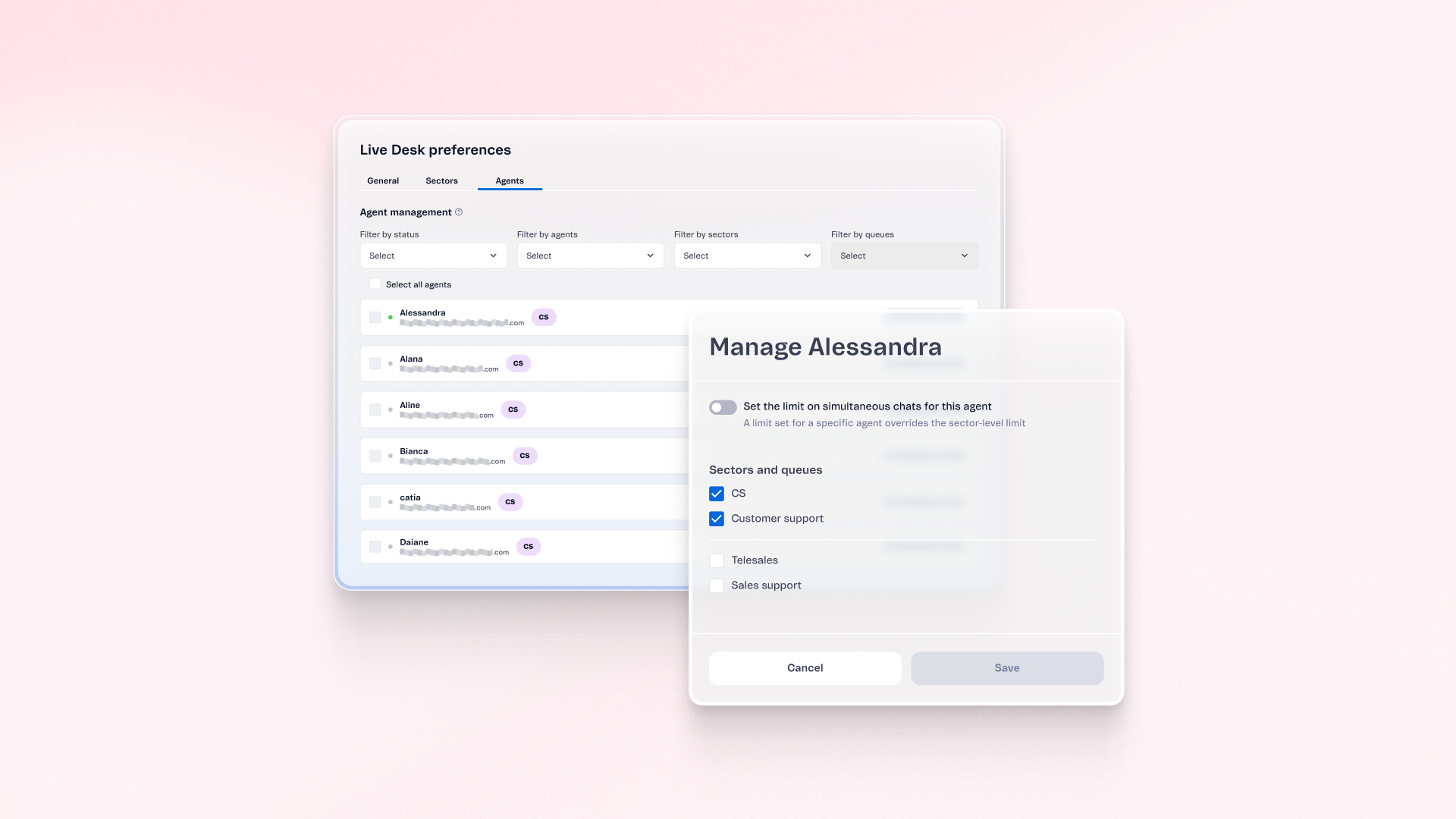
Support managers can now manage human agents, their sectors, queues, and conversation limits from one centralized view in Live Desk. Update assignments for one agent or many at once, and set individual limits when sector settings don't fit. Changes apply right after saving and don't affect active conversations.
優點
- One place to manage agents: Review and update assignments without configuring each sector or queue separately
- Faster staffing changes: Reallocate agents individually or in bulk as demand changes
- Flexible capacity: Set individual conversation limits when sector-level settings don't fit
- Quick search: Filter agents by name, status, sector, or queue
使用方式
In Live Desk, open the centralized human support view to review agents and their assignments. Filter by name, status, sector, or queue. Update assignments individually or in bulk, and set individual conversation limits if needed. Individual limits override sector-level settings. When no individual limit is defined, the sector-level limit applies. Changes take effect immediately after saving but don't affect active conversations. Not available for unified customer service organizations.